What Is Moreta Pay?

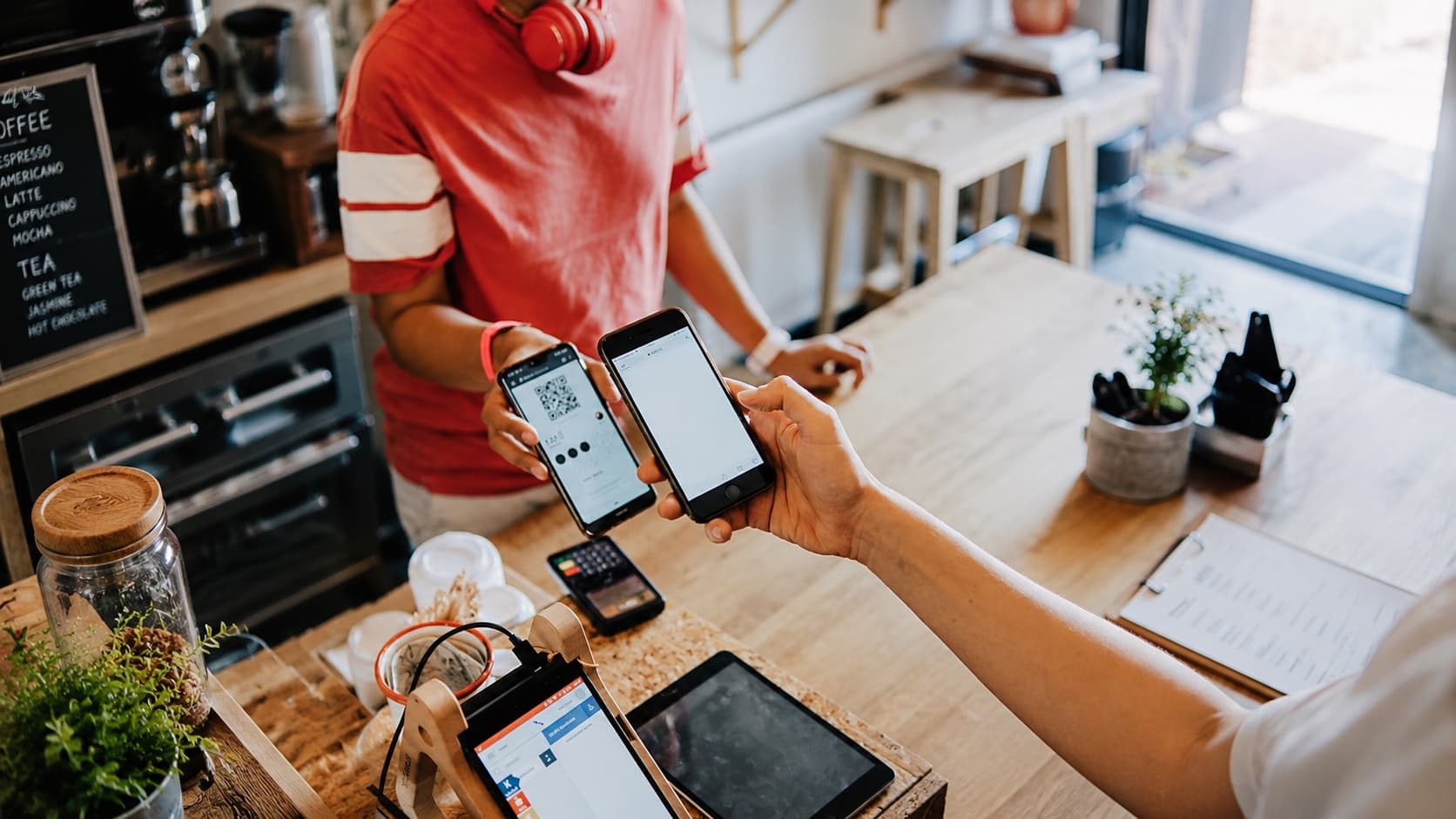
Plenty of countries that ran almost entirely on cash a decade ago have since gone nearly cashless. The surprising part for a North American traveller is the form that shift has taken. Instead of the tap-to-pay terminals we’re used to at home, everyday payments across much of Southeast Asia and Latin America now run on QR codes.
These QR payment systems usually require a local bank account, which leaves tourists locked out. Credit cards may handle the hotel and the nicer restaurant, but they don’t always help at a street stall, local café, or family-run shop, and visitors have long been left chasing down ATMs for cash instead.
Moreta Pay is built for that gap. It gives international travellers a way to scan supported local QR codes and pay from a funded mobile wallet, without opening a bank account in every country they visit.
Moreta’s wallet is denominated in US dollars, and until recently the practical way for Canadians to load it was routing money through a service like Wise. That changed with the addition of CAD funding through Interac e-Transfer. Canadians can now add dollars straight from a Canadian bank account, then use the same wallet for QR payments abroad.
What Moreta Pay Is and How It Works
Moreta Pay is a mobile wallet that connects travellers to local QR payment networks in supported parts of Asia and Latin America. You fund the wallet first, scan a merchant’s code in the app, review the amount and fee, and confirm the payment.
Setting up an account requires identity verification. You submit a passport photo and a selfie.
Once verification is complete, you can add money through one of the supported funding routes.
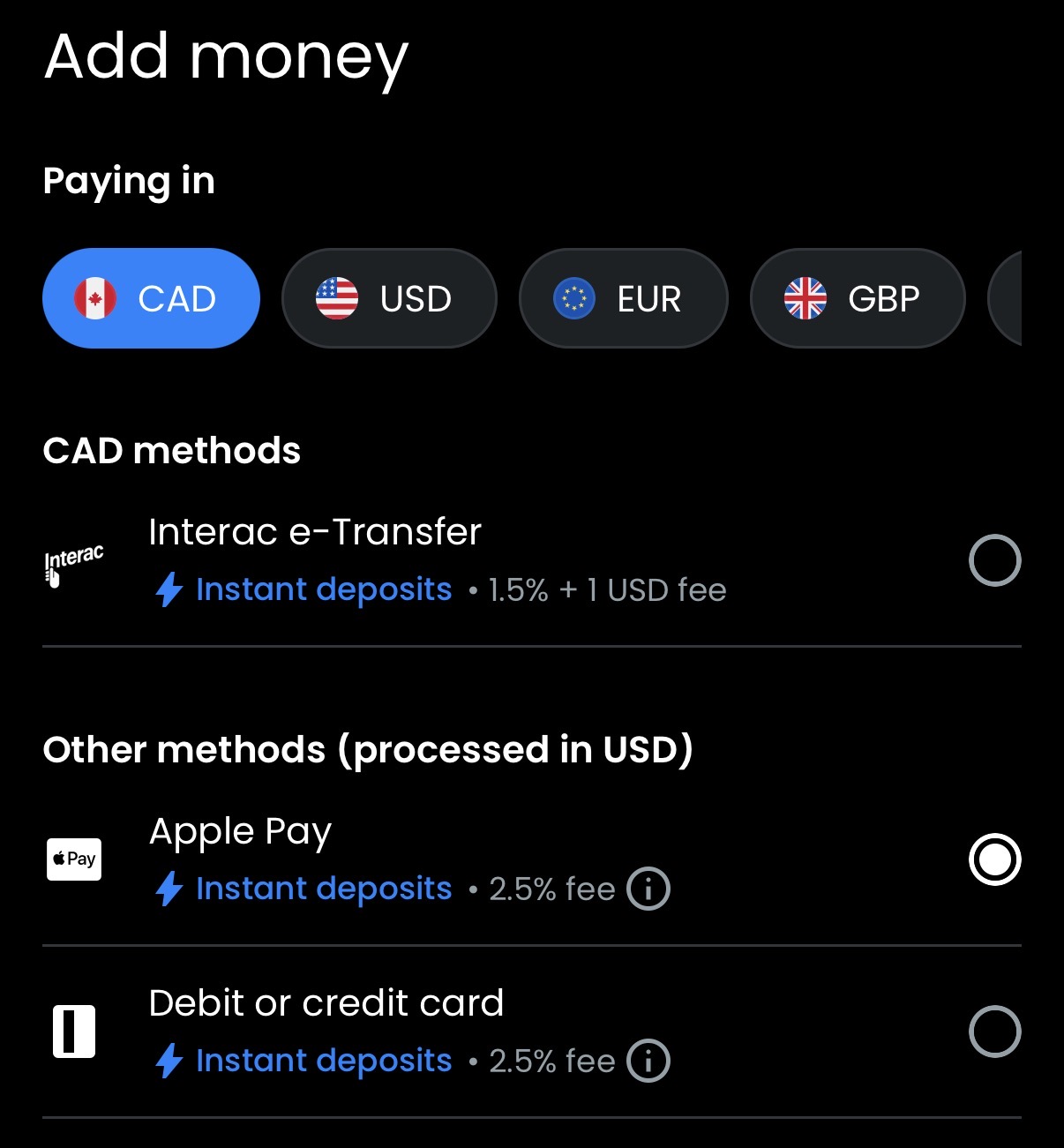
- CAD through Interac e-Transfer, with a 1.5% fee plus 1 USD
- USD through a US bank transfer, with a 1 USD fee
- EUR through a SEPA transfer
- GBP through UK Faster Payments
- Apple Pay or a debit or credit card, processed in USD with a 2.5% fee
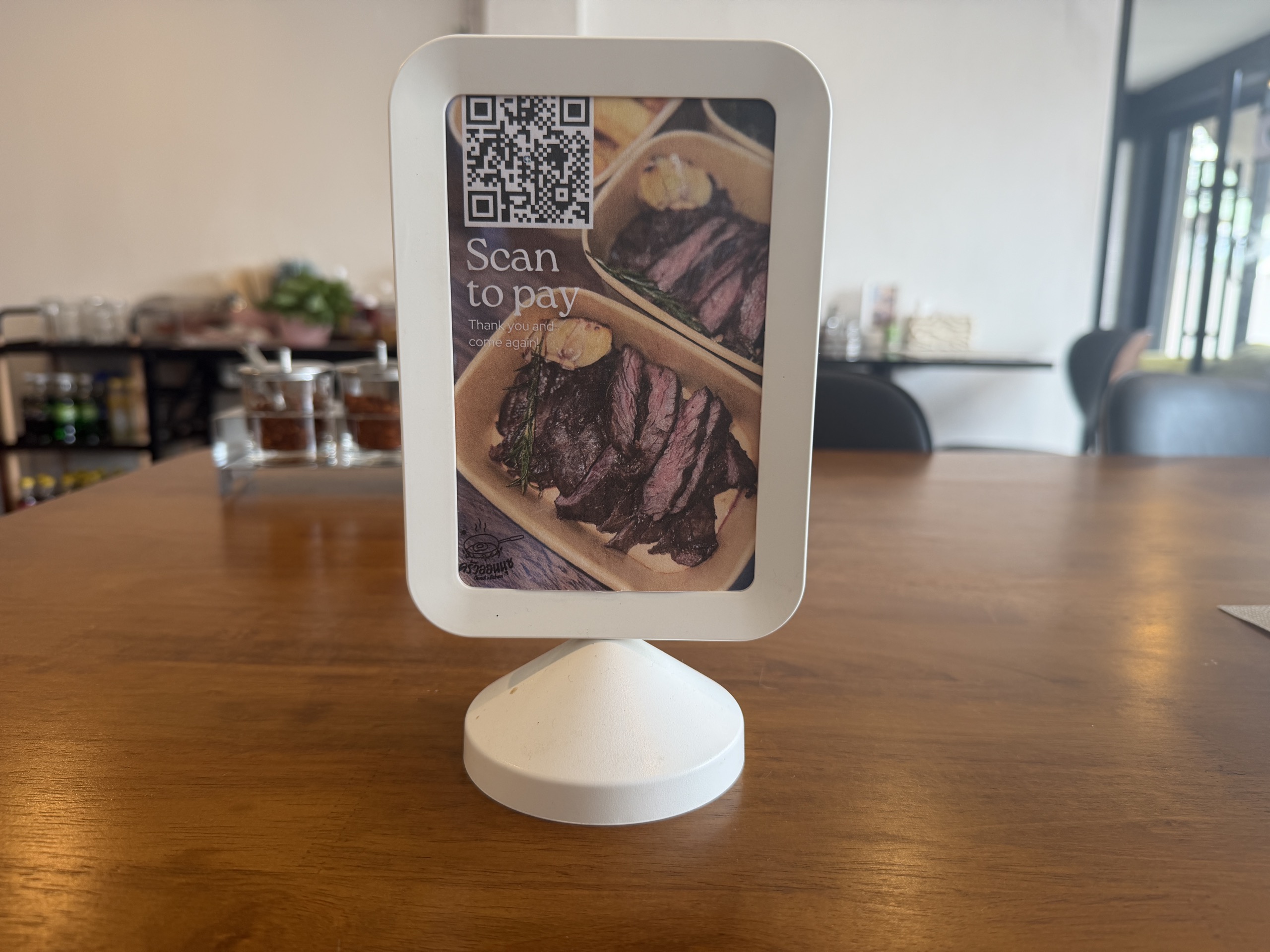
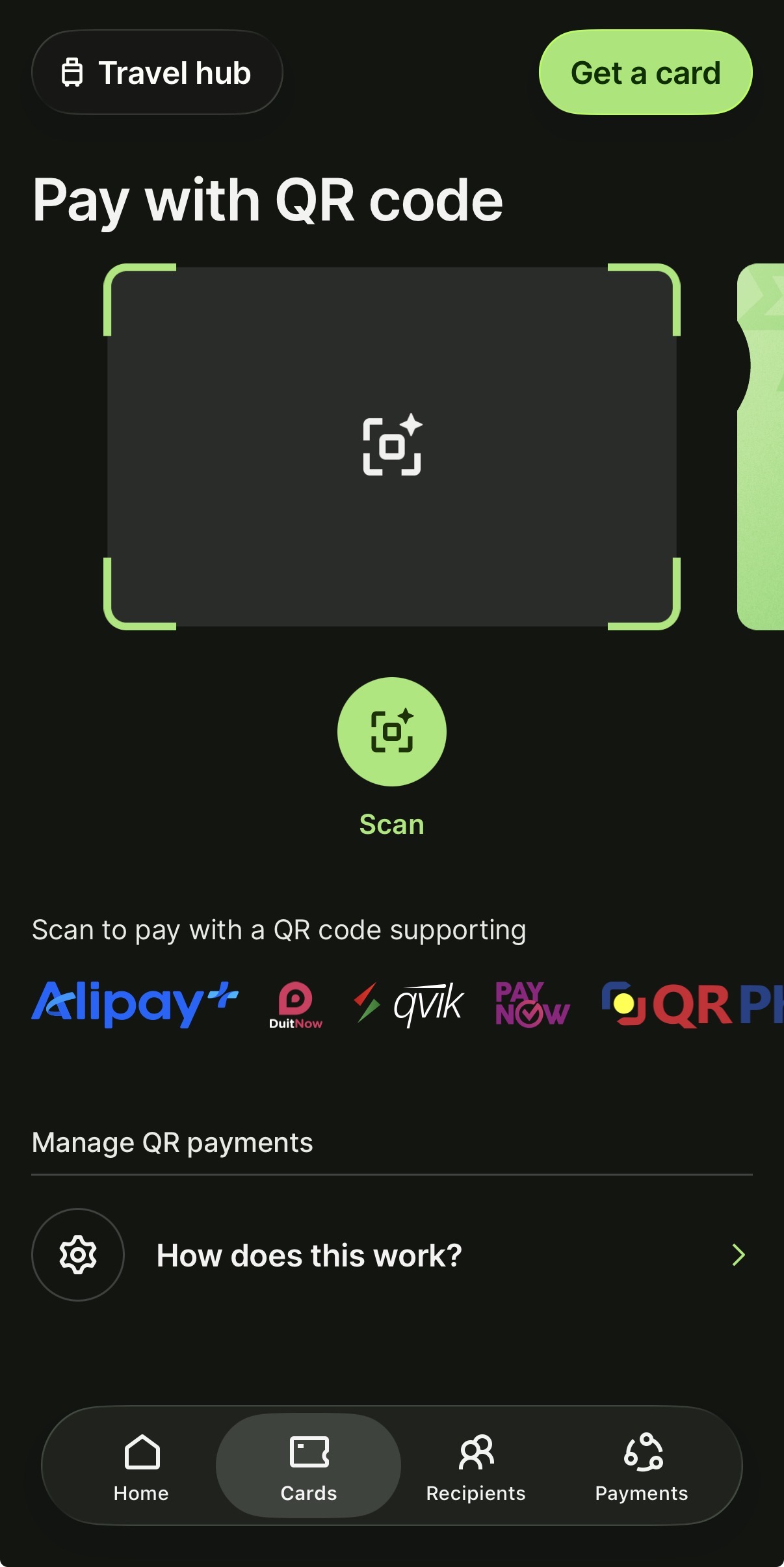
The payment side is simple. At a participating merchant, you open the scanner, point it at the supported QR code, enter or confirm the purchase amount in local currency, and check the merchant details before approving the transaction.
The app shows the exchange rate and Moreta’s fee on the review screen. Once you confirm, the payment settles to the merchant in local currency and comes out of your wallet balance.
Moreta also offers remittance and bill-payment features, but those sit outside the main use case here. The reason to consider it for travel is access to QR payments that a Canadian credit card or foreign bank account can’t make directly.
Adding Canadian Dollars by Interac e-Transfer
The CAD funding option is the part that makes Moreta directly useful to a much wider group of Canadians. You no longer need US banking details just to move money into the wallet by bank transfer.
In the app, you start from the funding screen, select CAD and Interac e-Transfer, and follow the deposit instructions Moreta provides. You then send the Canadian-dollar amount from your bank through Interac e-Transfer.
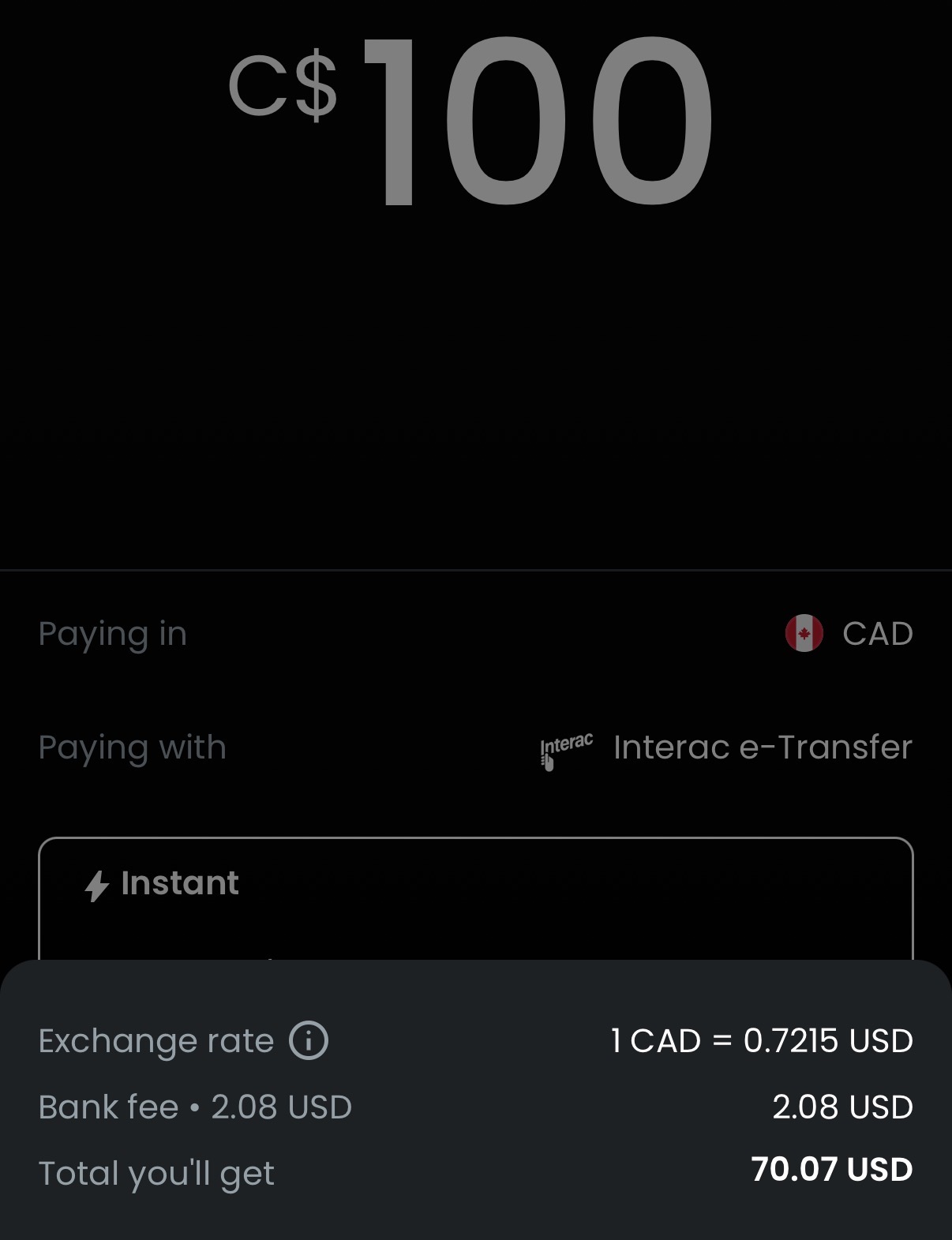
One thing to know is that the wallet balance itself is held in US dollars, even when you fund it in CAD. The conversion happens at the moment of deposit, and it uses the live spot rate. In our test, a $100 (CAD) top-up converted at 1 CAD to 0.7215 USD, exactly matching Google’s quoted rate at that moment, with the 1.5% plus $1 (USD) fee working out to $2.08 (USD) for a net deposit of $70.07 (USD).
When you pay a merchant, the conversion from US dollars into the local currency again uses the live mid-market rate, with a bank spread of roughly 0.6%–0.75% that can vary with market conditions.
The rate applied to each payment shows on the review screen, so you can see the local-currency amount and what it draws from your balance before confirming.
The app lists Interac e-Transfer as an instant deposit method, with a fee of 1.5% plus $1 (USD) per top-up. Apple Pay and debit or credit card deposits are also available at a 2.5% fee, processed in USD. E-Transfer top-ups run from a minimum of $5 (CAD) to a maximum of $3,000 (CAD) per transfer.
I’d also avoid loading a whole trip’s budget at once. Start with an amount you expect to spend soon, confirm that the wallet and QR network work as expected, and add more only when you need it.
What Moreta Pay Costs
Most Moreta QR payments carry a flat 1.5% fee. The app shows the charge on the payment review screen before you confirm.
Currency conversion uses the bank’s live mid-market rate, with a pass-through spread of roughly 0.6%–0.75%. Moreta says it doesn’t add its own markup to that foreign exchange spread.
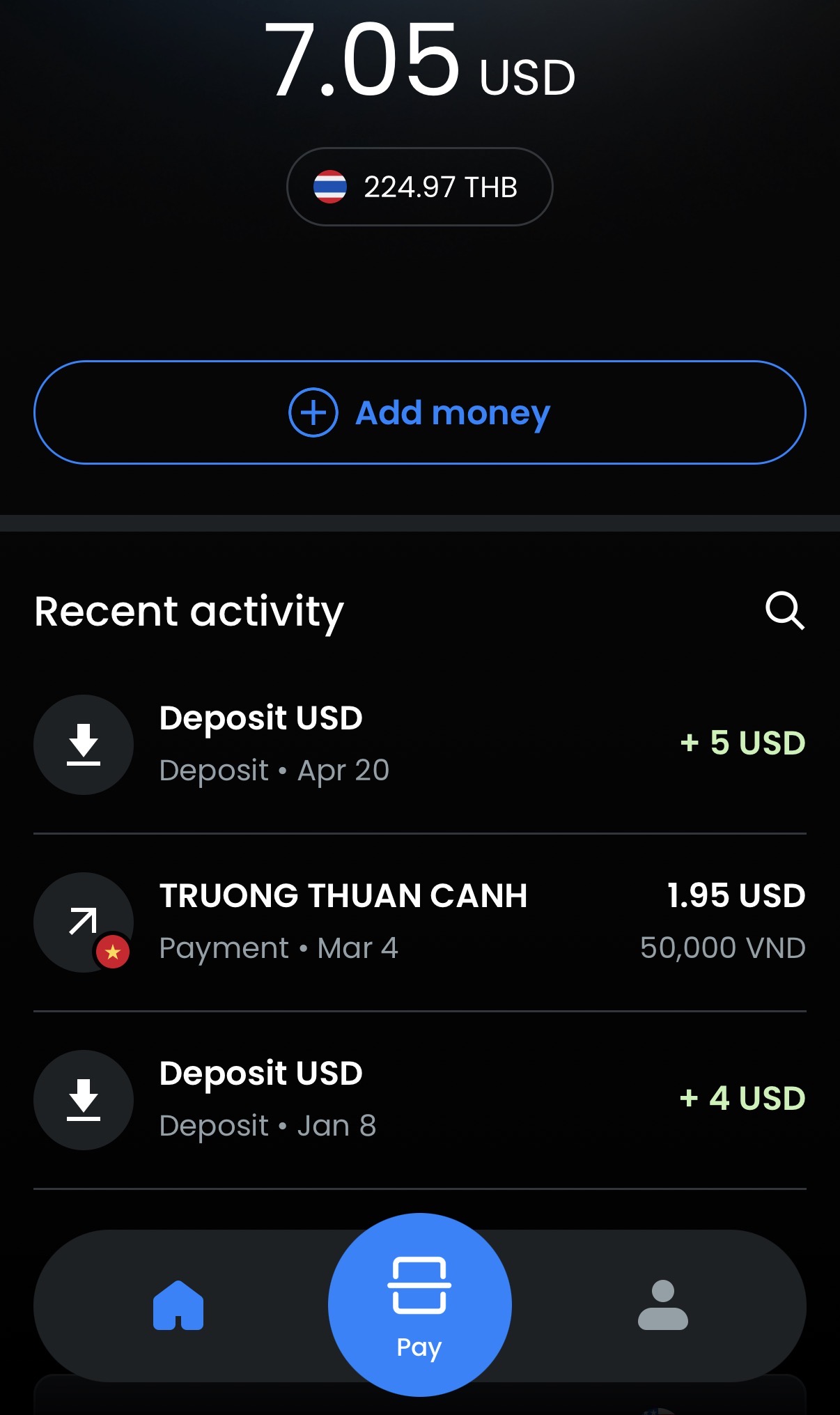
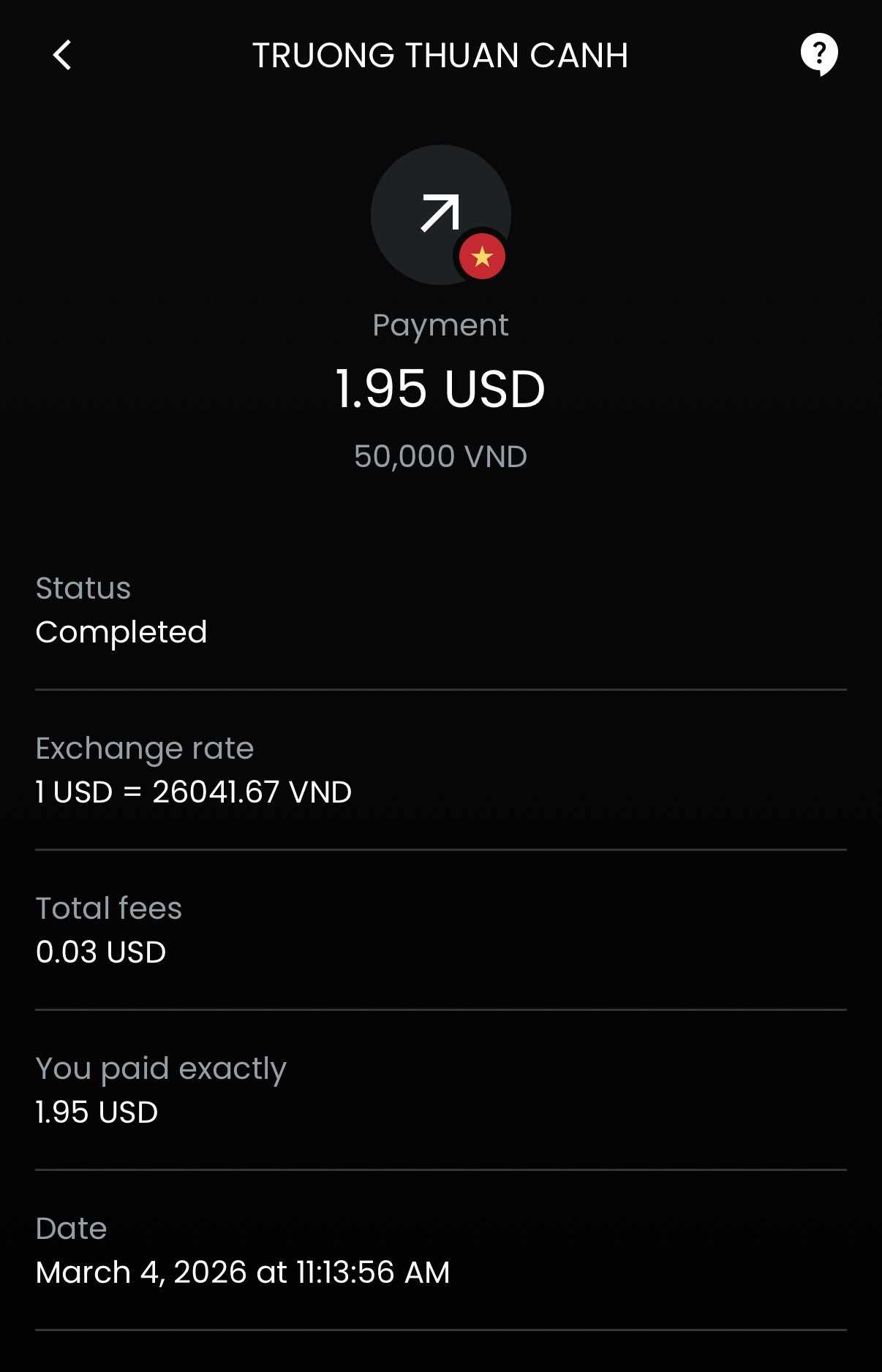
That figure matches our own use of the app. A 50,000 VND payment to a merchant in Vietnam came to $1.95 (USD), with the fee shown as $0.03 (USD).
Funding the wallet has its own cost as well. A CAD top-up by Interac e-Transfer runs 1.5% plus $1 (USD), while Apple Pay and card deposits cost 2.5%. Put the pieces together and a QR payment funded by e-transfer works out to roughly 3.6%–3.75% plus $1 (USD) all-in once currency conversion is included. It’s transparent enough to calculate before paying, but it isn’t free.
A $100 (CAD) Top-Up Example
Take our actual $100 (CAD) top-up from earlier. The deposit fee came to $2.08 (USD), or about $2.90 (CAD), leaving a balance of $70.07 (USD). Spending that balance by QR code costs another 1.5% in payment fees, plus the 0.6%–0.75% currency spread on each conversion.
Work it through and that $100 (CAD) load buys roughly $95 (CAD) worth of goods, which puts the all-in cost at around $105 (CAD) for every $100 (CAD) you actually spend. The exact local-currency amount and rate can move, so the app’s review screen is the final number to use.
Here is how that compares with the other payment tools a Canadian traveller might carry.
- A credit card with a 2.5% foreign transaction fee would put the same $100 (CAD) equivalent purchase at about $102.50 (CAD) before considering rewards
- A no-foreign-transaction-fee credit card avoids the usual 2.5% fee and may earn rewards, making it the better option wherever the merchant accepts cards without a surcharge
- Cash from an ATM can cost less or more depending on your bank’s withdrawal and foreign exchange fees, the local ATM fee, and how much cash you take out at once
Moreta therefore isn’t the cheapest choice when a strong no-FX-fee credit card works normally. Its value appears when the merchant takes a local QR payment but not your card, or when paying by card would trigger an extra merchant surcharge.
That surcharge scenario is more common than you might expect. Some merchants add a hefty 3%–5% fee, or even more, for paying by card, while the same purchase by QR code carries no extra charge, which makes Moreta the cheaper route. For a larger purchase, though, I’d still take the fee and pay by credit card for the security and protection that comes with it.
Where You Can Use Moreta Pay
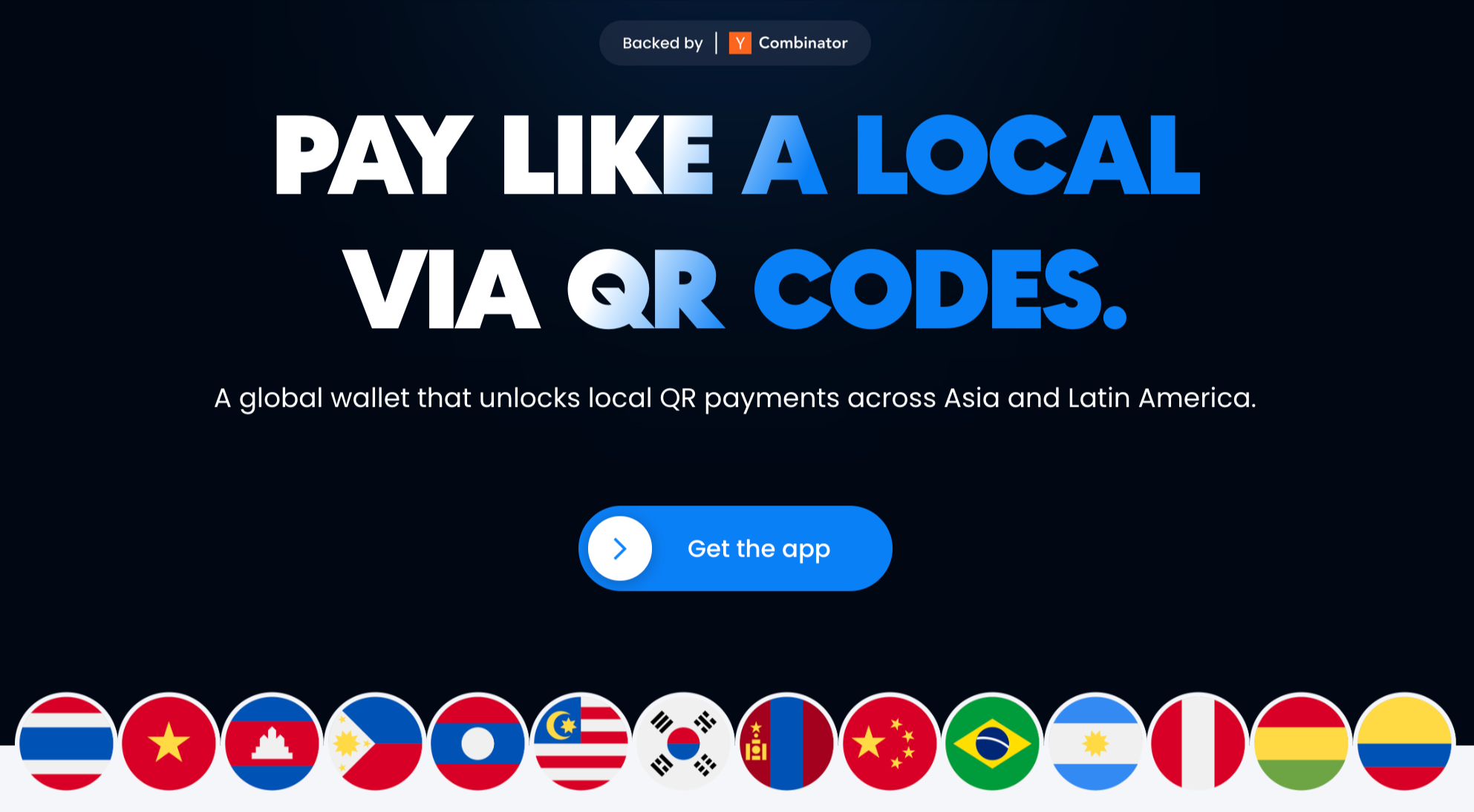
Moreta’s usefulness depends entirely on the local network behind the code. As of September 2026, the app lists the following countries and payment rails.
- Philippines (QR Ph)
- Vietnam (VietQR)
- Laos (OnePay)
- Mongolia (QPay)
- South Korea (Seoul Pay+)
- Cambodia (KHQR)
- Malaysia (DuitNow)
- Mainland China (WeChat Pay merchant QR codes)
- Thailand (ThaiQR)
- Brazil (Pix)
- Argentina (MODO)
- Peru (Yape and Plin)
- Bolivia ($imple)
- Colombia (Bre-B)
A country appearing on the list doesn’t mean every code you see will work. Moreta has to recognize the specific network and code type.
It’s worth reading our broader look at paying with QR codes in Asia before travelling. Moreta gives you a way into several local networks, but the code at the counter still determines whether the payment can go through.
Caveats and Things to Know
The country list is only one part of the decision. Moreta also has network restrictions and a different regulatory setup from a Canadian bank account.
Personal QR Codes May Not Always Work
Sometimes a QR payment simply won’t go through at a small shop, and the reason is usually the type of code on the counter. Market stalls and family-run operations often collect payments through a personal QR code tied to the owner’s own bank account, and support for these codes varies by country, likely as a guard against money laundering and fraud. If a merchant is a properly registered business displaying a business QR code, Moreta will almost certainly work.
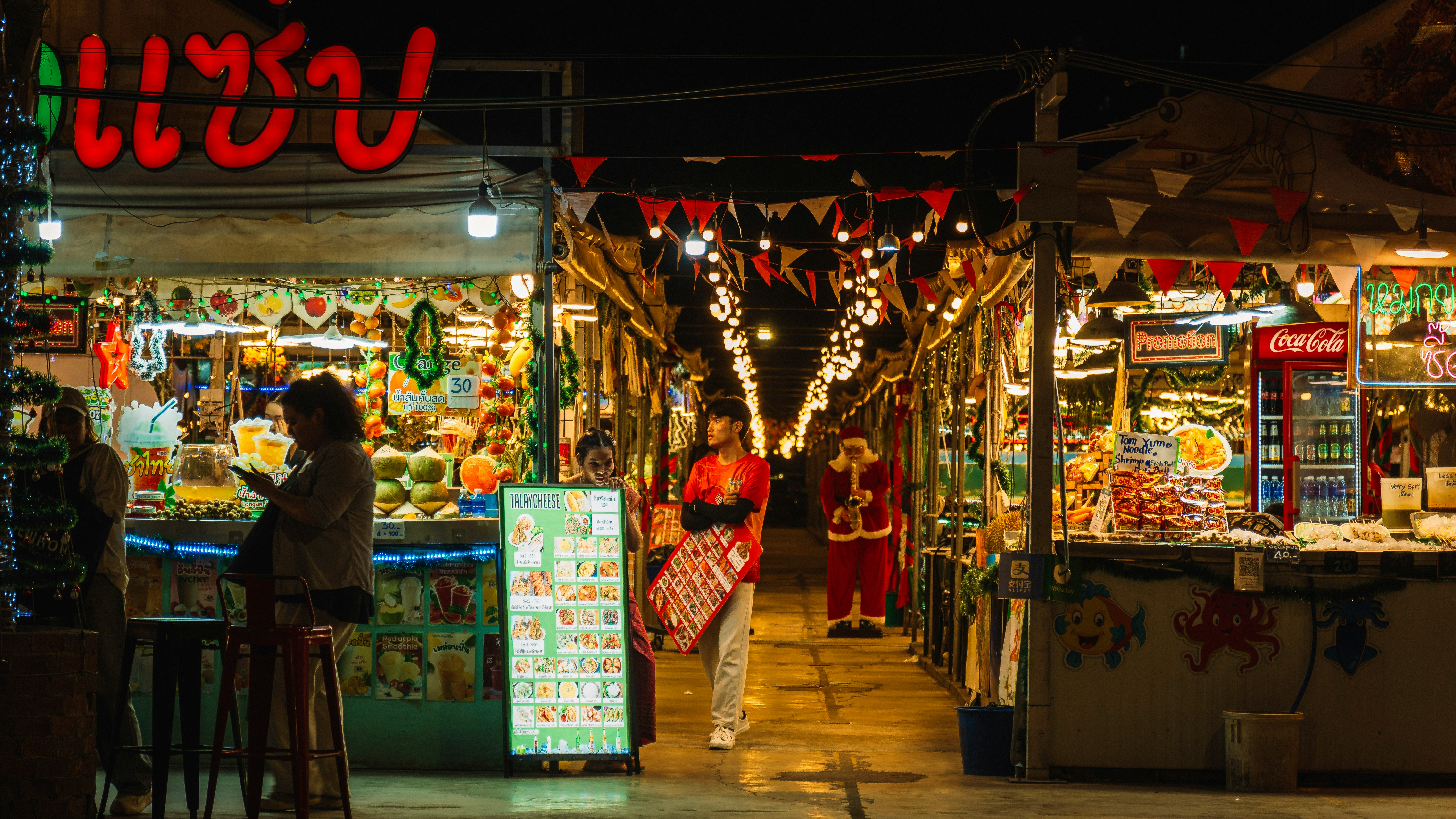
Indonesia isn’t supported at all yet, and the app marks it as coming soon. Seeing QRIS at a merchant doesn’t mean the app can pay it today.
Your Balance Has No Deposit Insurance
Moreta is a young startup backed by Y Combinator, and whatever you think of the product’s payment convenience, the wallet isn’t a Canadian-regulated deposit account.
There is no CDIC-style protection on the balance. That’s a strong reason to treat Moreta as a place for near-term spending money rather than somewhere to hold savings or a large emergency fund.
The best practice is to load small amounts as you go, check the merchant and amount before confirming, and keep another payment method available.
Where Moreta Pay Fits in Your Travel Wallet
Moreta works best as a specialist tool. It fills the gap between card acceptance and cash, but it doesn’t replace either one.
A credit card with no foreign transaction fees should still come first where cards are accepted normally. You avoid Moreta’s 1.5% QR fee and may earn points or cash back on the purchase.
A second credit card from another network gives you redundancy, while a Wise card or one of Canada’s prepaid no-FX-fee cards can cover purchases and cash withdrawals according to their own fee structures. Wise has also been rolling out QR payments of its own, letting you scan local codes on networks such as Alipay+, DuitNow, PayNow, and QR Ph directly from a Wise balance, so Moreta isn’t the only way into these rails.
Where a country is covered by both, I’d lean toward Wise as the larger and more established provider. Wise isn’t a bank, but its Canadian entity keeps customer funds in segregated accounts, and eligible balances are held in trust with a CDIC member institution, which gives them CDIC protection of up to $100,000 (CAD) if that bank were to fail. That’s a much stronger protection story than a startup wallet can offer.
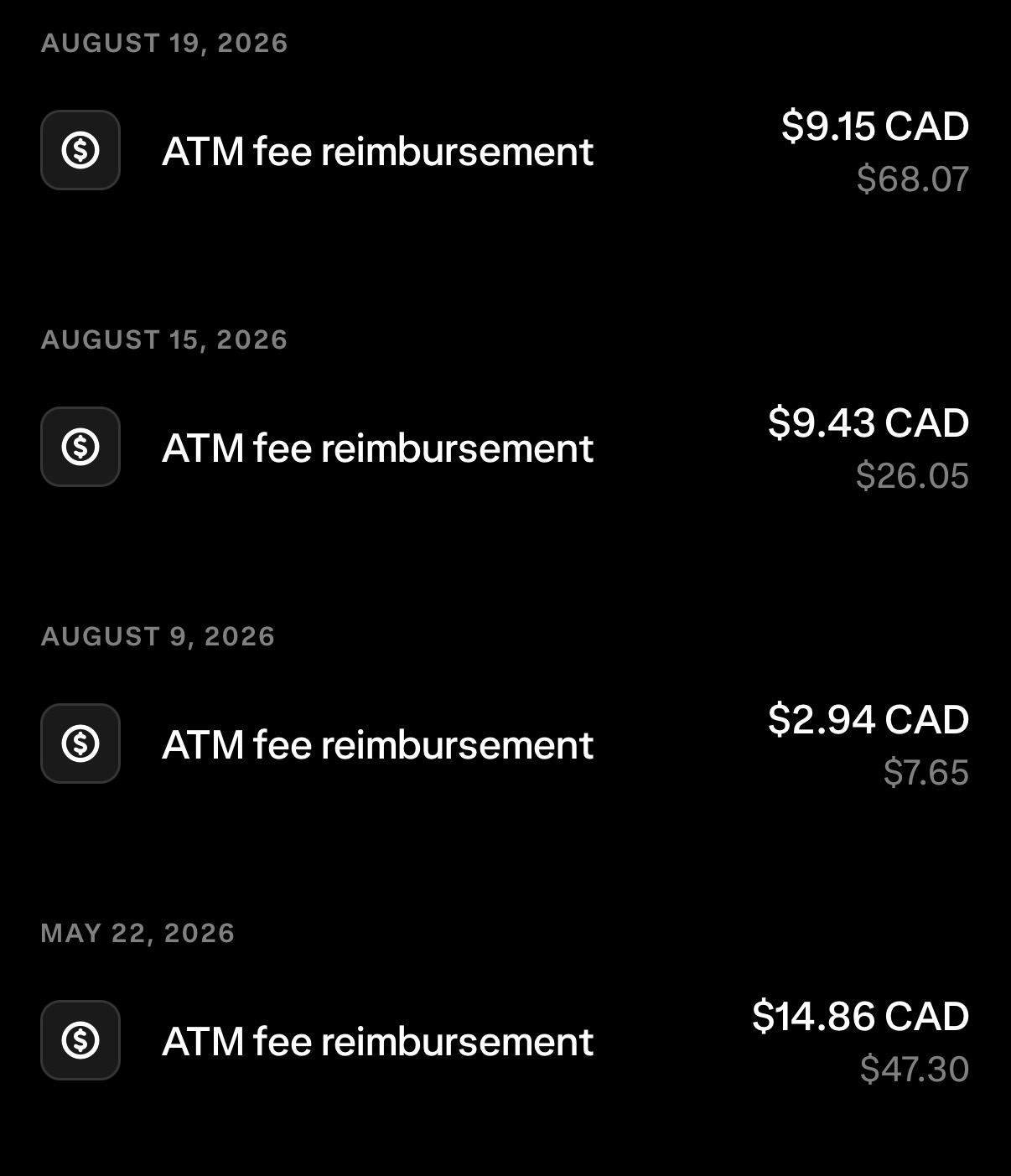
Luckily, if you’re more comfortable using cash, the Wealthsimple prepaid card (now moving from Mastercard to Visa) lets you withdraw it abroad with no foreign transaction fees, and the ATM operator’s withdrawal fee gets reimbursed on top. On my recent trip to Mexico, I withdrew cash as I went, and lots of ATMs were charging between $10 and $15 (CAD) per withdrawal, with some even taking a percentage of the amount. Every one of those fees came back as a reimbursement. Seeing how much I was reimbursed, I’m honestly not sure how sustainable this perk is, so hopefully it sticks around. Knock on wood.
Cash remains useful for merchants that accept neither cards nor a QR code Moreta supports. The goal isn’t to find one payment method for the entire trip. It’s to avoid getting stranded when the first one fails.
Personally, I don’t like carrying cash and coins around, so having Moreta as an option is a nice add. Each payment also leaves a record in the app, with the amount, exchange rate, and merchant name, which acts as a form of receipt you’d otherwise never get when paying cash at a night market, a street vendor, or a taxi you grabbed on the road.
Moreta belongs in the next slot, ready for a merchant that wants payment through DuitNow, KHQR, WeChat Pay, or another supported local rail. The new Interac e-Transfer option makes it easier to replenish that backup from a Canadian bank account as you go.
My honest take is that the CAD option turns Moreta from an awkward workaround into a practical addition for some Canadian travellers. The all-in cost runs above even a standard 2.5% FX-fee card once funding fees are counted, yet the two products solve different problems. One pays merchants that take cards, while the other reaches supported QR codes.
The trade-off is that you give up credit card rewards on the e-transfer top-up and take on wallet risk while the funds sit there. Keeping the balance lean is what makes the arrangement sensible.
Conclusion
Moreta Pay solves a real travel problem for Canadians who arrive at a merchant that wants a local QR payment. CAD funding by Interac e-Transfer removes the old US-bank-account hurdle, and the app now reaches supported networks across 14 countries in Asia and Latin America.
It still shouldn’t be your first or only way to pay. A no-FX-fee credit card is cheaper where it works, cash covers the smallest merchants, and Moreta’s fees and the lack of Canadian deposit protection both argue against holding a large balance.
I’d treat Moreta as a funded-on-demand QR backup. Add a modest amount before or during a trip, confirm that the specific local network works, and keep the rest of your travel money somewhere better protected.



Member Discussion